If you’ve recently bought cryptocurrency and started wondering where to actually keep it safely, you’re not alone. Millions of people store their digital assets on exchanges like Binance or Coinbase — convenient, yes, but also risky. Exchanges can be hacked, freeze withdrawals, or even go bankrupt (as FTX famously did in 2022).
That’s where a tool like SafePal comes in. It gives you control over your own funds, without needing a computer science degree to figure it out. If you’re considering getting the hardware wallet, you can check out the SafePal S1 here:
https://www.safepal.com/store/s1?ref=mzlmngr

This article explains what SafePal is, how it works, what you can do with it, and — most importantly — how to use it securely.
What Is SafePal?
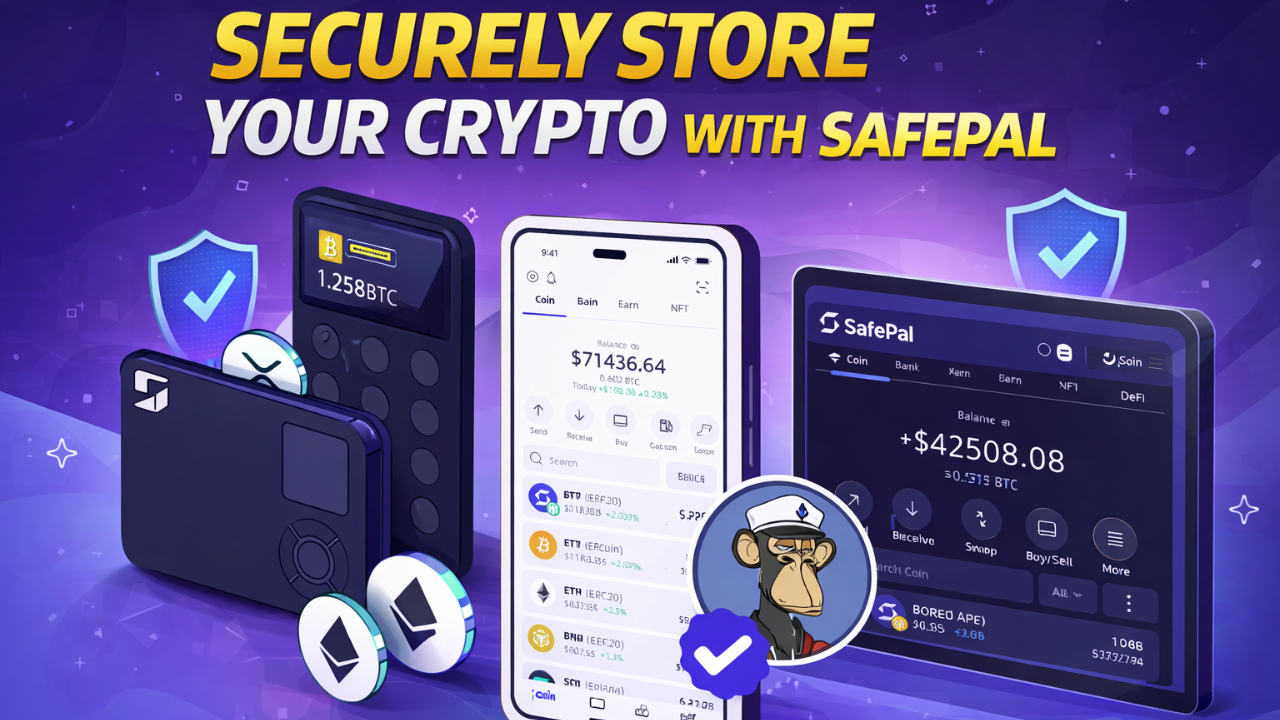
SafePal is a cryptocurrency wallet solution designed for everyday users who want a safe, accessible way to store and manage their digital assets. Founded in 2018 and backed by Binance, SafePal offers both hardware and software wallets, making it one of the more versatile options in the self-custody space.
The core idea behind SafePal — and all self-custody wallets — is simple: you hold your own private keys. In crypto, whoever holds the private keys controls the funds. When you leave your coins on an exchange, the exchange holds those keys on your behalf. SafePal lets you take that control back.
Hardware Wallet vs. Software Wallet
SafePal offers two main products:
SafePal S1 (Hardware Wallet)
A physical device, roughly the size of a credit card, that stores your private keys offline. It never connects to the internet, which makes it highly resistant to remote hacking attempts. Transactions are signed via QR codes rather than USB or Bluetooth, eliminating most attack vectors.
If you’re interested in the hardware wallet for long-term storage, you can order the SafePal S1 here:
https://www.safepal.com/store/s1?ref=mzlmngr
SafePal Software Wallet (App)
A free mobile app available on iOS and Android. It’s a hot wallet, meaning it’s connected to the internet, which makes it more convenient but also slightly more vulnerable than hardware storage.
Many users combine both: keeping larger holdings on the S1 and smaller amounts on the app for everyday use.
What Can You Do With SafePal?
SafePal isn’t just a place to park your crypto and forget about it. The platform has grown into a fairly comprehensive DeFi and Web3 hub.
Store and Manage Multiple Cryptocurrencies
SafePal supports over 100 blockchains and tens of thousands of tokens — including Bitcoin, Ethereum, BNB, Solana, Polygon, and most ERC-20, BEP-20, and SPL tokens.
If you hold a diverse portfolio, you won’t need multiple wallets to manage it all.
Send and Receive Crypto
The basic functionality is straightforward. You can send funds to any compatible wallet address and receive funds by sharing your wallet’s public address or QR code.
Transactions on the hardware wallet are confirmed by scanning QR codes between the device and the app — a process that keeps your private keys air-gapped at all times.
Swap Tokens Directly in the App
SafePal has a built-in DEX aggregator, allowing you to swap tokens without leaving the app. It pulls rates from multiple decentralized exchanges to find competitive prices.
This is useful for quick trades without creating accounts on centralized platforms.
Access DeFi and dApps
Through the SafePal browser and WalletConnect integration, you can connect to decentralized applications — lending protocols like Aave, liquidity pools, NFT marketplaces, and more.
This makes it a practical tool for active DeFi users who want to interact with the ecosystem without keeping funds on an exchange.
Buy Crypto With Fiat
SafePal integrates with third-party on-ramp services, allowing users to buy cryptocurrency directly with bank cards or other supported payment methods depending on their region.
How to Set Up SafePal
Setting Up the Software Wallet
Download the SafePal app from the official App Store or Google Play.
Open the app and select Create a New Wallet.
You’ll be shown a seed phrase — a sequence of 12 or 24 random words. Write these down on paper and store them somewhere safe. Do not take a screenshot.
Confirm your seed phrase by entering the words in the correct order.
Set a PIN or biometric lock for the app.
That’s it. Your wallet is ready.
Setting Up the S1 Hardware Wallet
Unbox the device and power it on.
Follow the on-screen prompts to generate a new wallet or import an existing one.
Write down the seed phrase shown on the device’s screen — again, on paper, not digitally.
Pair the device with the SafePal app by scanning the QR code displayed on the S1.
If you’re considering buying the hardware wallet for secure long-term storage, you can view it here:
https://www.safepal.com/store/s1?ref=mzlmngr
Once paired, all transactions you initiate in the app are confirmed by scanning a QR code with the S1, which signs the transaction offline and returns a signed QR code for broadcast.
How to Keep Your SafePal Wallet Secure
This is the part most guides rush through, but it’s arguably the most important. Even the best wallet is only as secure as how you use it.
Protect Your Seed Phrase Above Everything Else
Your seed phrase is the master key to your wallet. Anyone who has it can access your funds from any device, anywhere in the world.
A few rules:
Never store it digitally — no photos, no cloud notes, no password managers.
Write it on paper and store it in a physically secure location, like a fireproof safe or safety deposit box.
Consider a metal backup for long-term storage that survives fire and water damage.
Never share it with anyone — including anyone claiming to be SafePal support.
Use a Strong PIN on the App
Set a PIN that isn’t obvious. Avoid birthdays or simple combinations like “1234.”
If your phone is stolen, the PIN is the first line of defense.
Enable Biometric Authentication
Use fingerprint or Face ID login where available. It’s faster and adds an extra layer of protection.
Keep the App and Firmware Updated
SafePal regularly releases updates that patch security vulnerabilities.
Check periodically for firmware updates for the S1 hardware wallet.
Be Careful With DeFi Connections
When connecting your wallet to a dApp, always verify the URL carefully.
Phishing websites that mimic legitimate platforms are extremely common.
If you’re done using a dApp, disconnect your wallet from it and periodically review token approvals using tools like Revoke.cash.
Don’t Use Public Wi-Fi for Transactions
When sending or signing transactions, avoid public or unsecured Wi-Fi networks.
Practical Tips for Everyday Use
Use the hardware wallet for savings and the app for spending.
Think of the S1 like a savings account, and the app like a current account.
Test with a small amount first when sending to a new address.
Label addresses in your address book to avoid mistakes.
Regularly review which apps have permissions to interact with your wallet.
Conclusion
SafePal fills a genuine gap for crypto users who want more control over their assets without a steep technical learning curve.
Whether you start with the free software wallet or choose the SafePal S1 hardware device for long-term storage, the principle remains the same: holding your own private keys significantly reduces the risks that come with leaving funds on exchanges.
The most important rule is simple: your seed phrase is your wallet.
Protect it offline, keep it physically secure, and never share it with anyone.
With proper security habits and a reliable wallet setup, SafePal becomes a powerful tool for managing cryptocurrency independently and safely.